The collection, not the checklist
Made for the way
you actually keep plants.
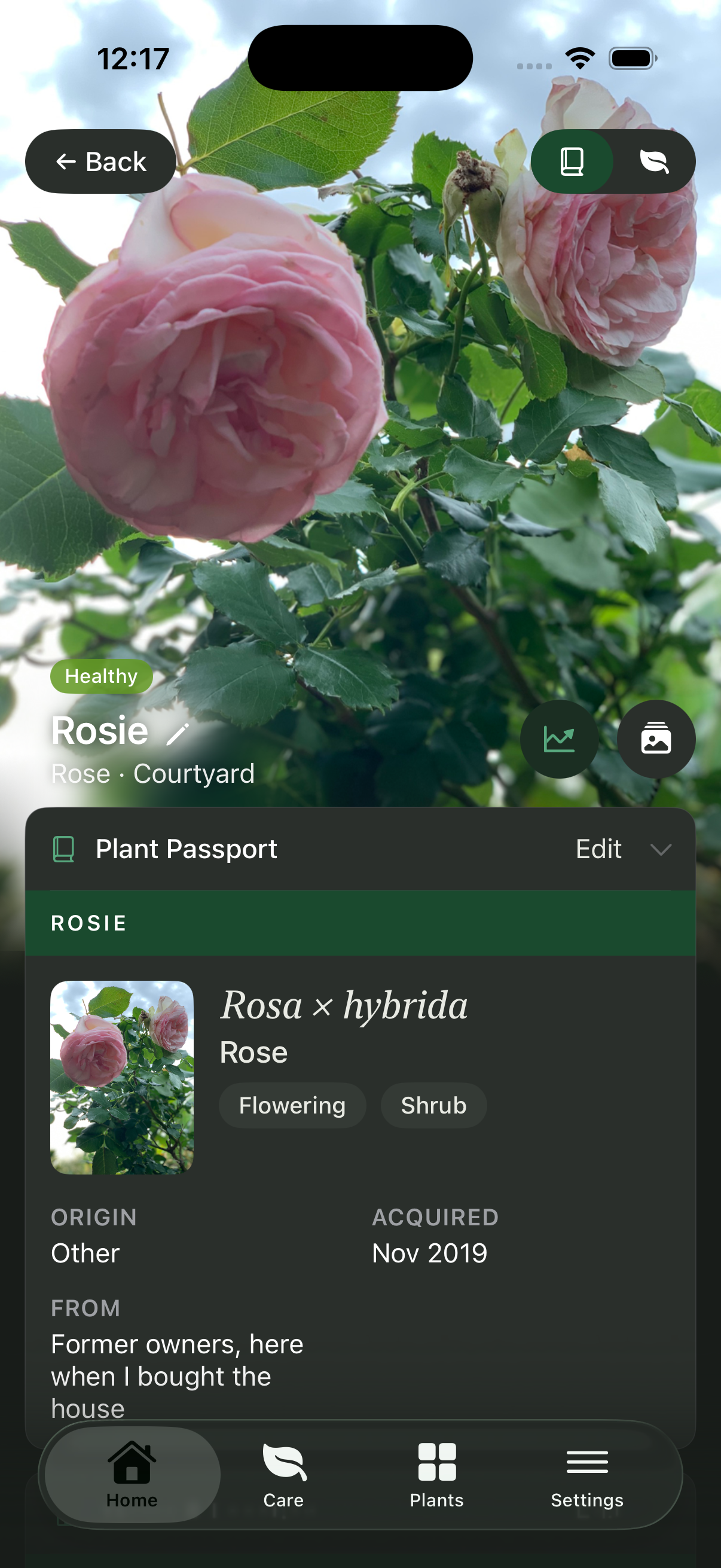
Plants grow, move, change, recover, divide, propagate and sometimes become part of someone else’s collection.
For people who already know plant care is more than reminders, Liana keeps the detail connected without asking you to flatten your collection into a generic app.
01 · Spaces & properties
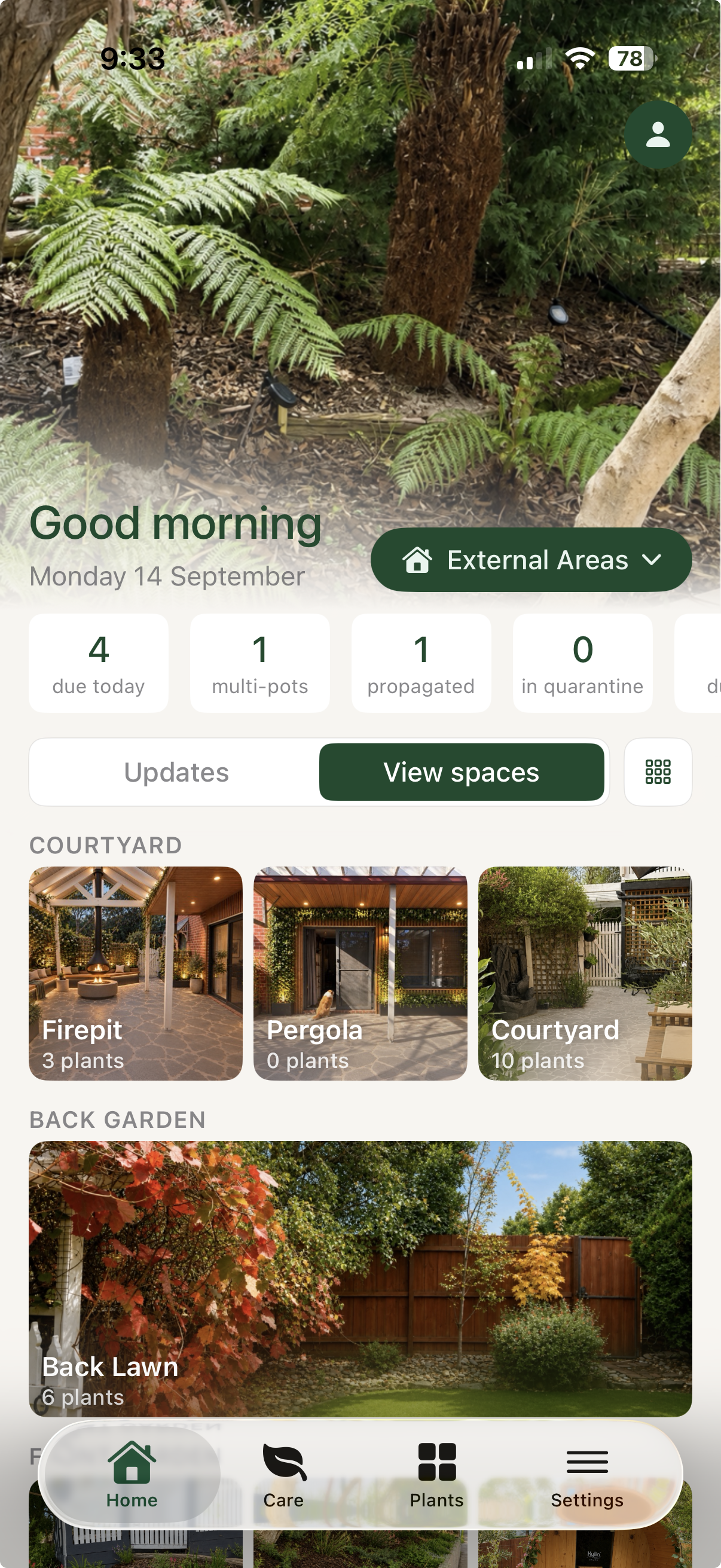
Set up your spaces
as they really are.
Indoor rooms, covered areas, gardens and more than one property can all have their own conditions. Keep the environment alongside the plants that live in it.
- Indoor, outdoor and covered spaces
- Multiple properties, independently organised
- Share a property with the people who care for it
02 · Shared care
Leave the care with someone.
Not the whole story.
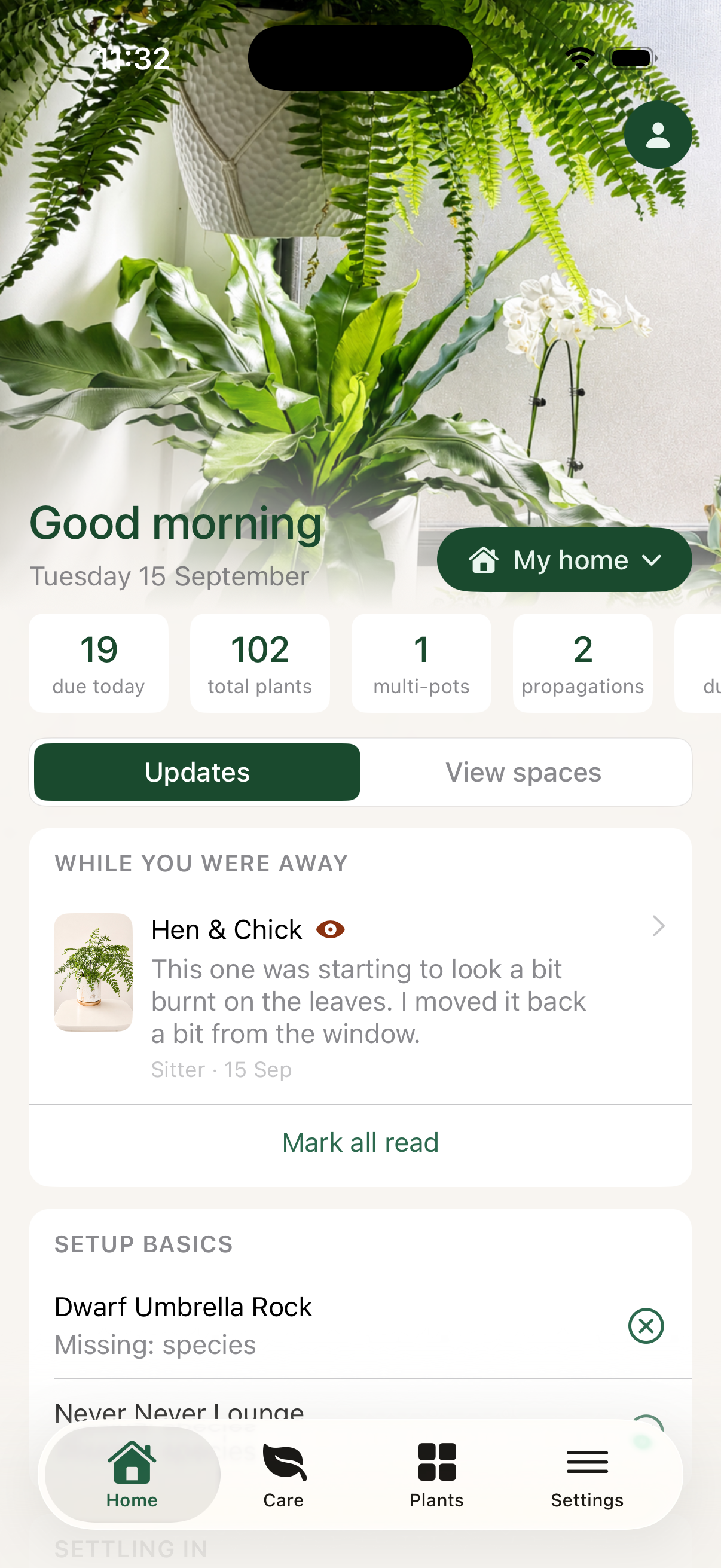
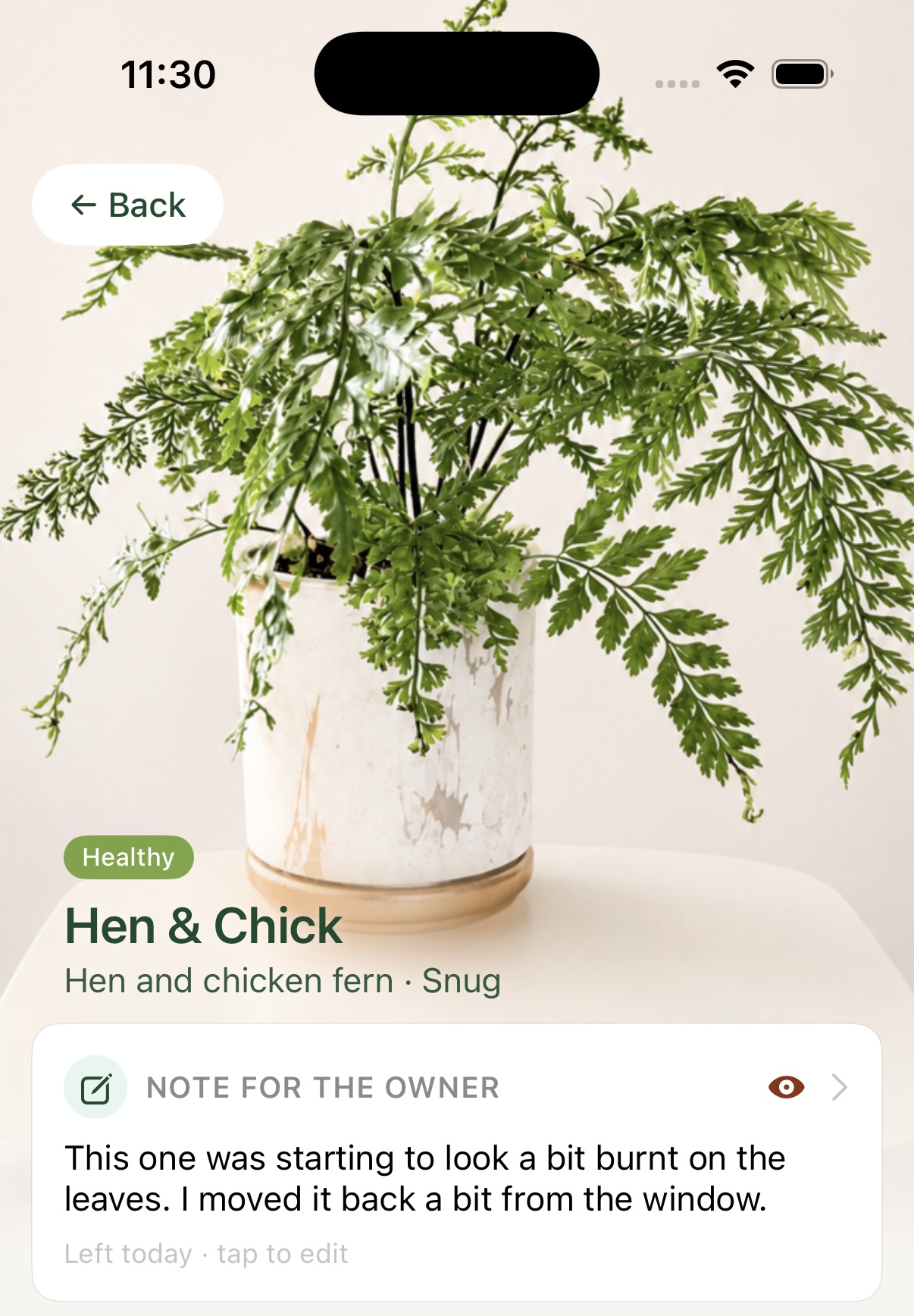
Share a property with the access that makes sense: a partner can have the full collection, while a plant sitter can focus on care. Their notes, photos and changes come back to your home screen so you know what happened while you were away.
- Share a property with full or care-only access
- Plant sitters add notes and photos at the plant
- Owner updates wait on the dashboard when you return
03 · Multi-pot plants
One pot. Every plant still has
a life of its own.
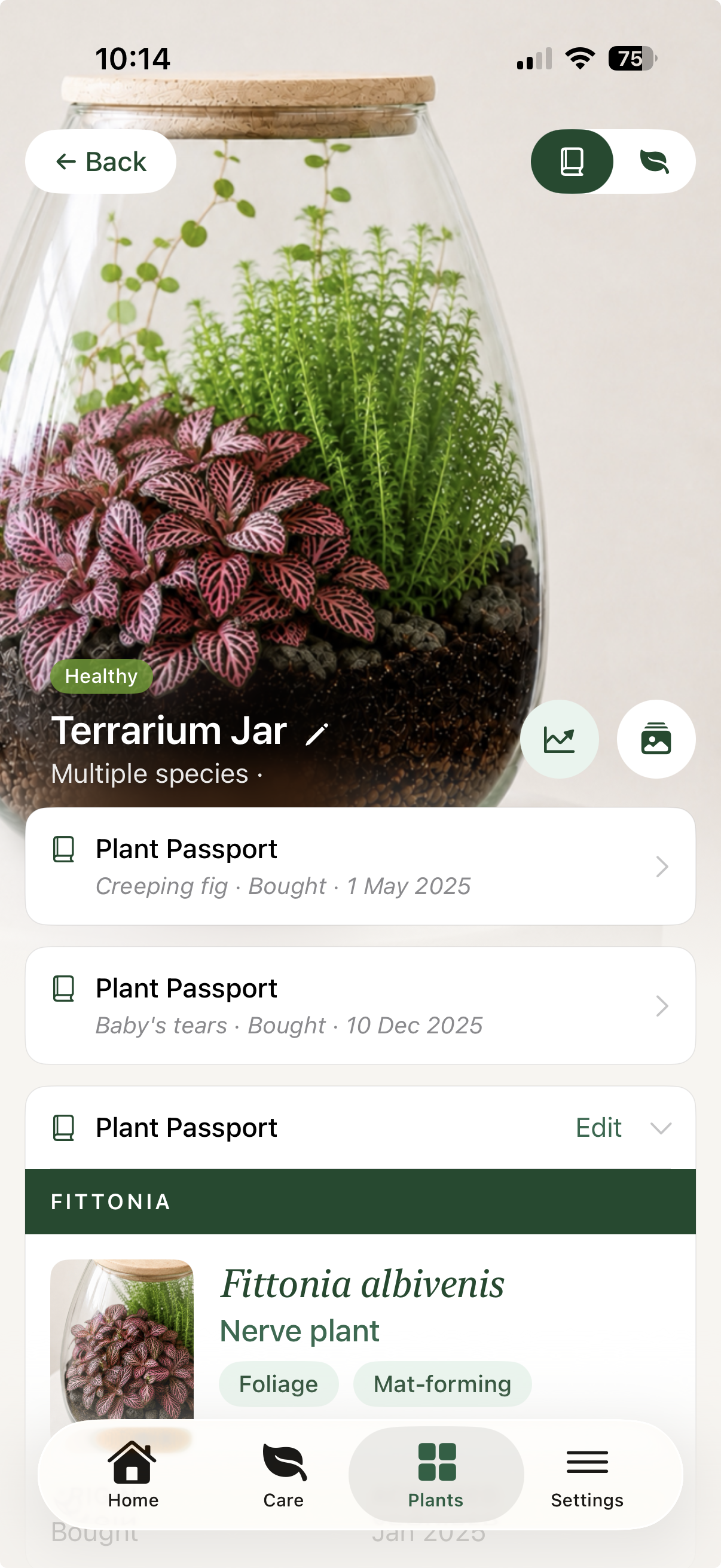
A terrarium, planted bowl or shared pot does not need to become one anonymous record. Liana keeps the vessel together while each occupant keeps its own identity, history, photos and health record.
- Individual plants inside one shared pot
- Separate Plant Passports and histories
- Made for planted arrangements, not just single pots
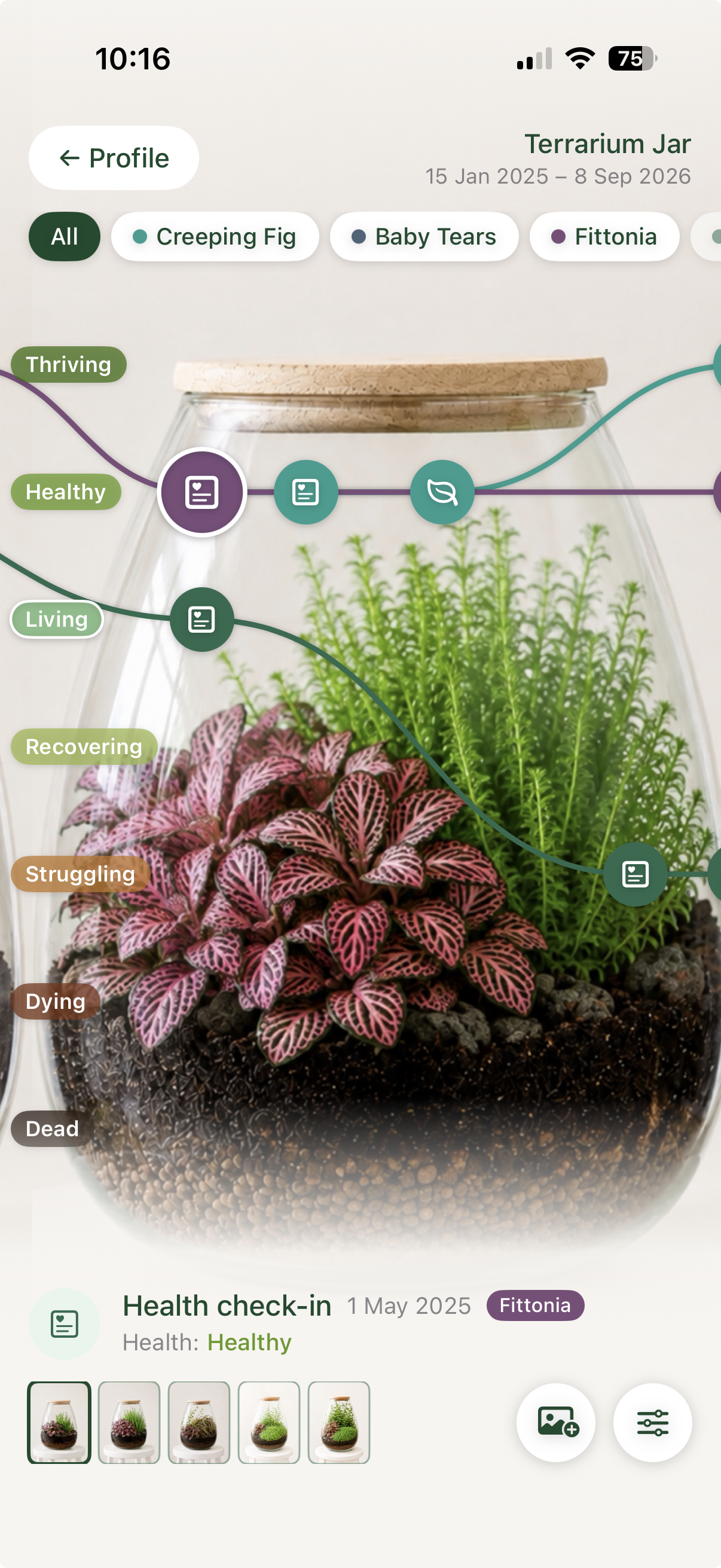
Swipe to compare
04 · Unusual setups
Your collection is not
only standard pots.
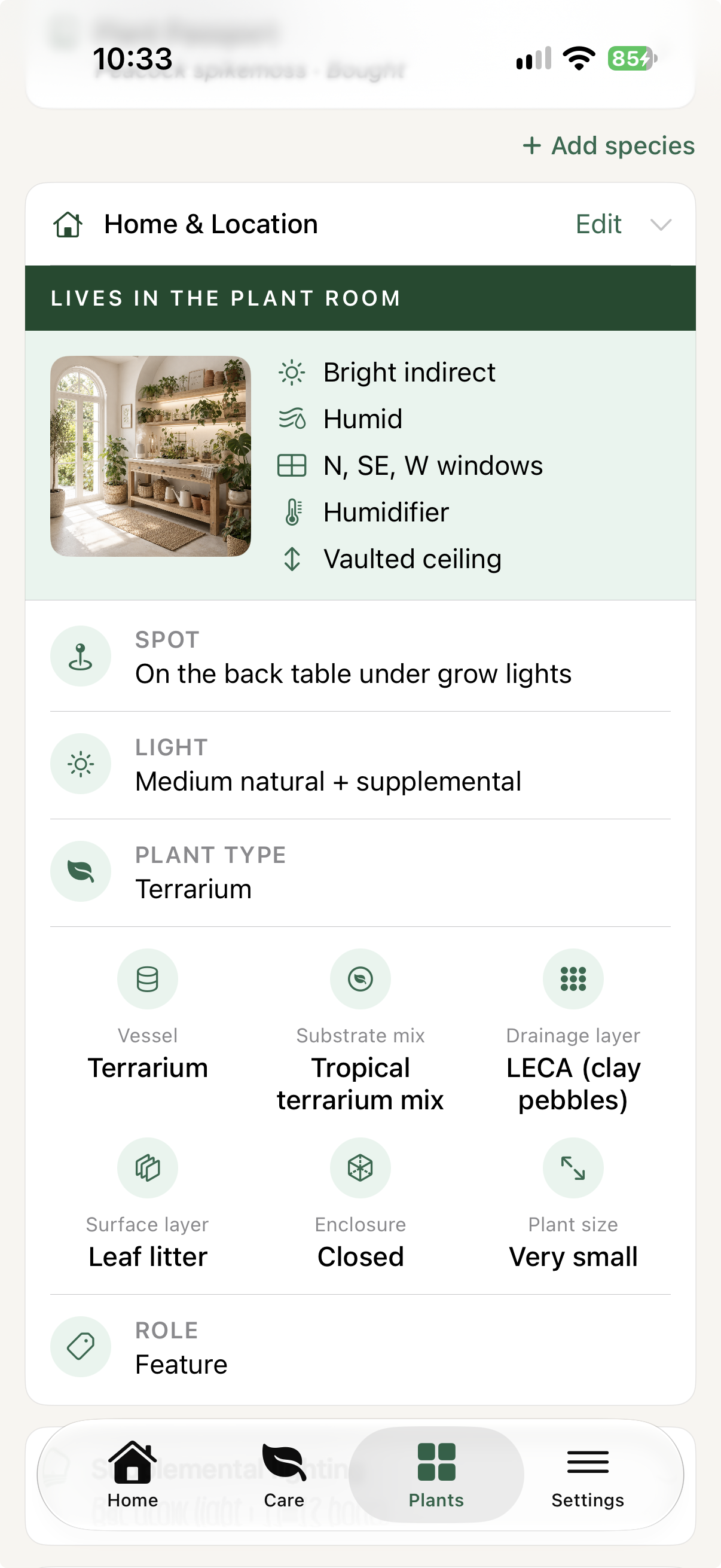
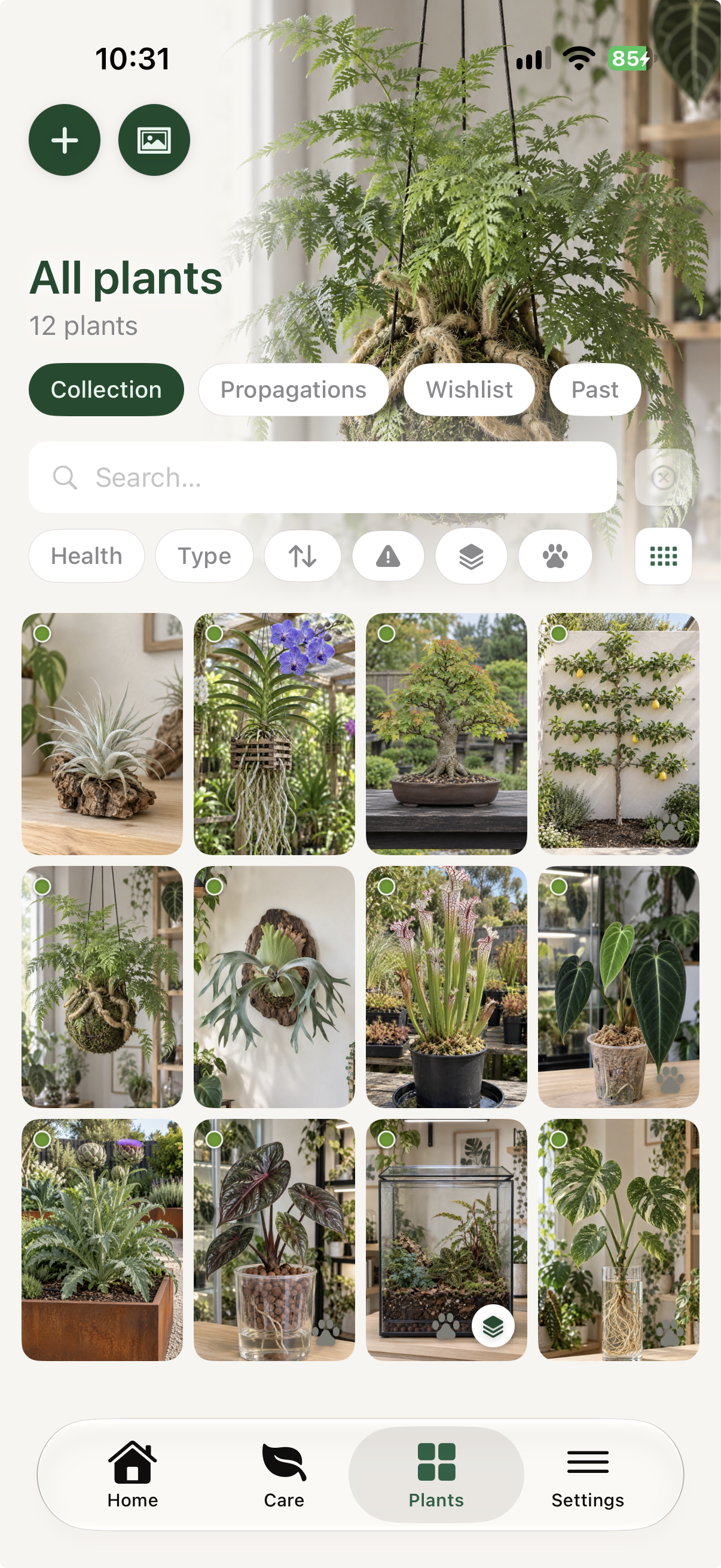
Terrariums, kokedama, mounted plants, orchids and hydro setups have their own logic. Liana gives them room to be recorded properly, rather than asking you to pretend they are all the same thing.
- Multiple plant types and growing forms
- Individual records within complex plantings
- Care context that stays with the setup
05 · Plant Journeys
Not just how a plant looks.
How it became what it is.
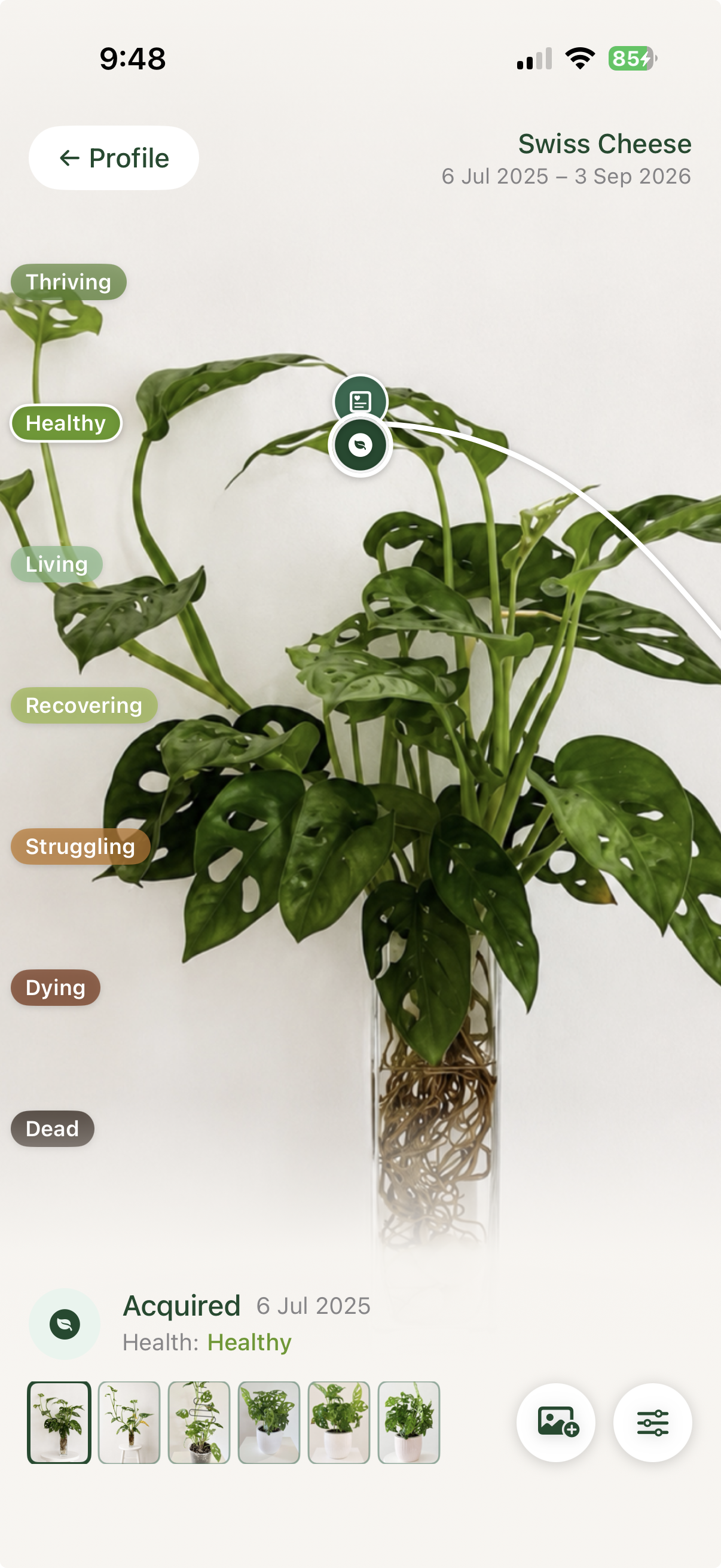
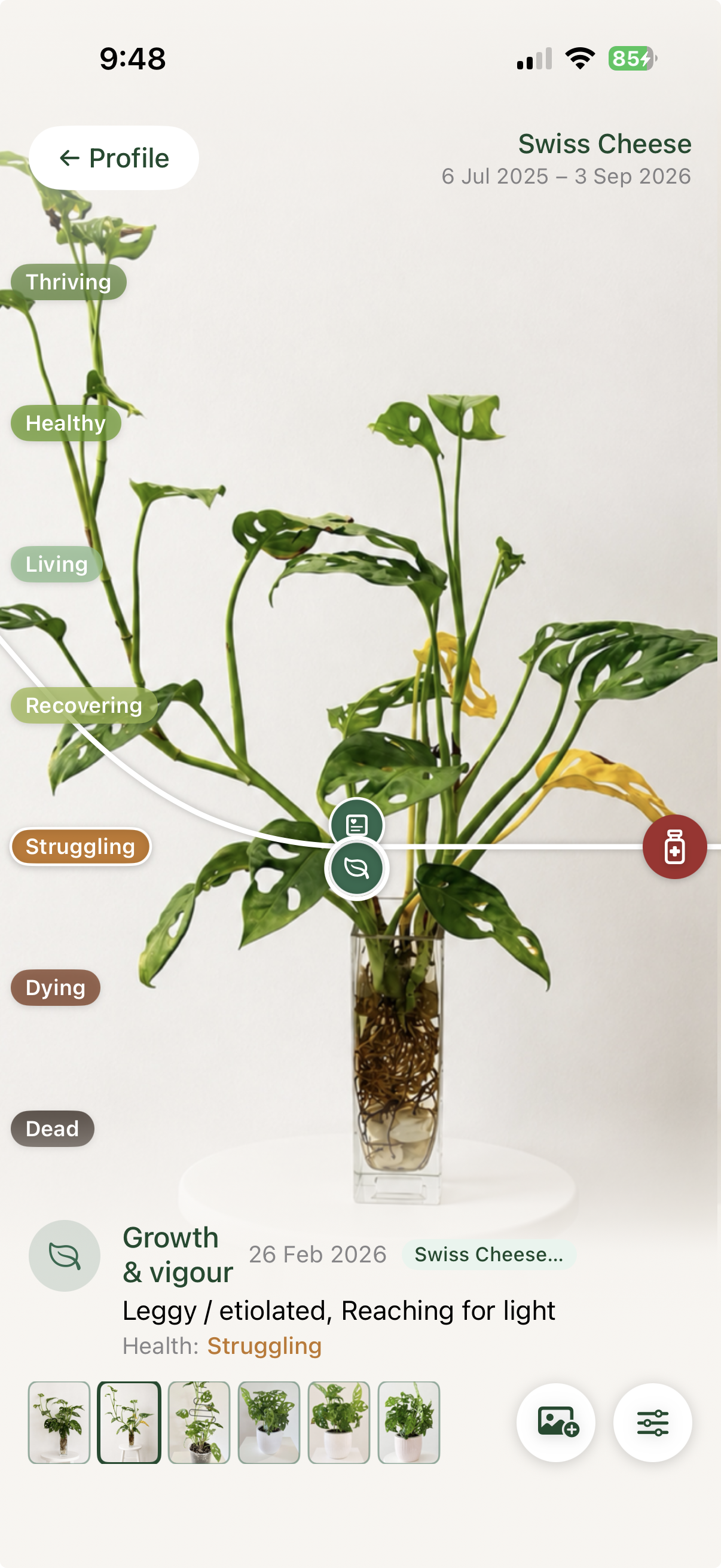
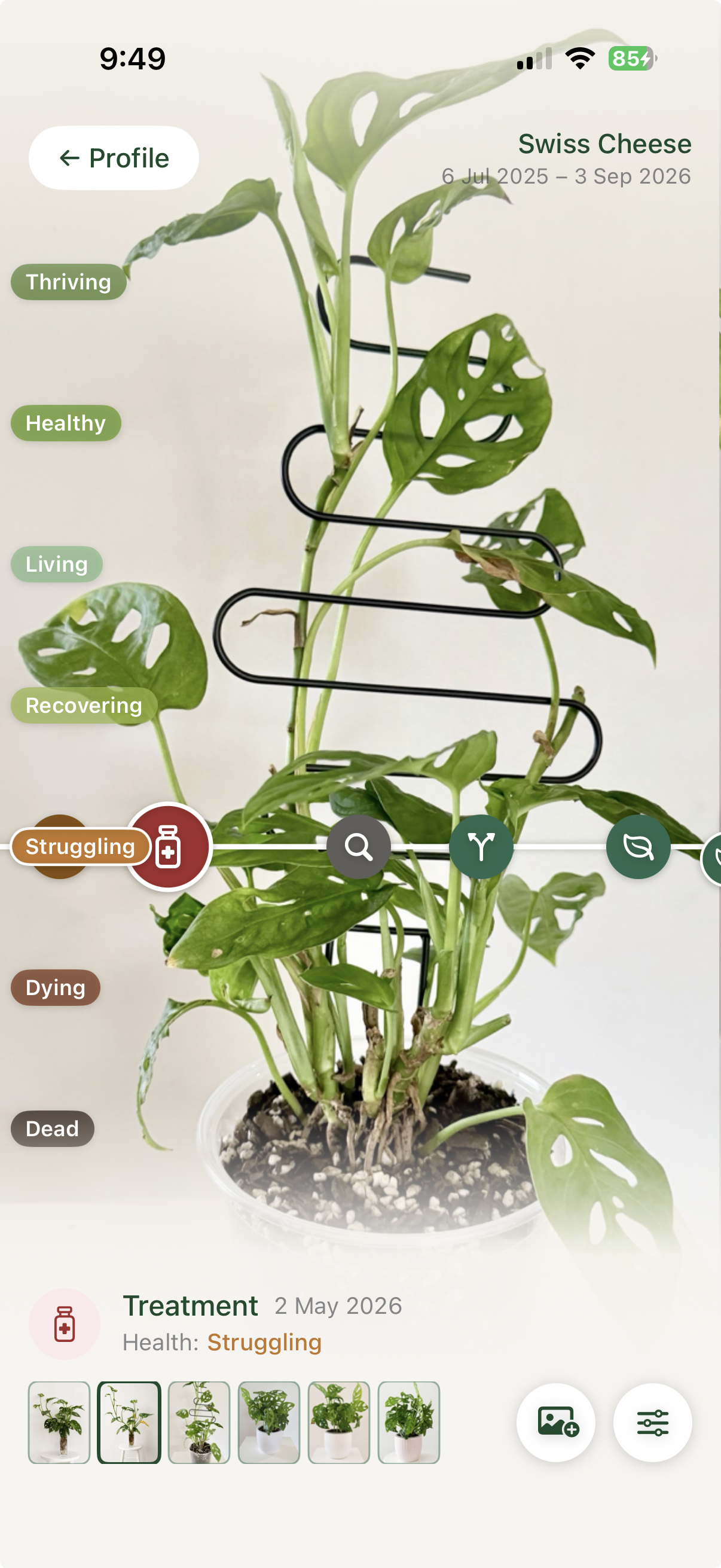
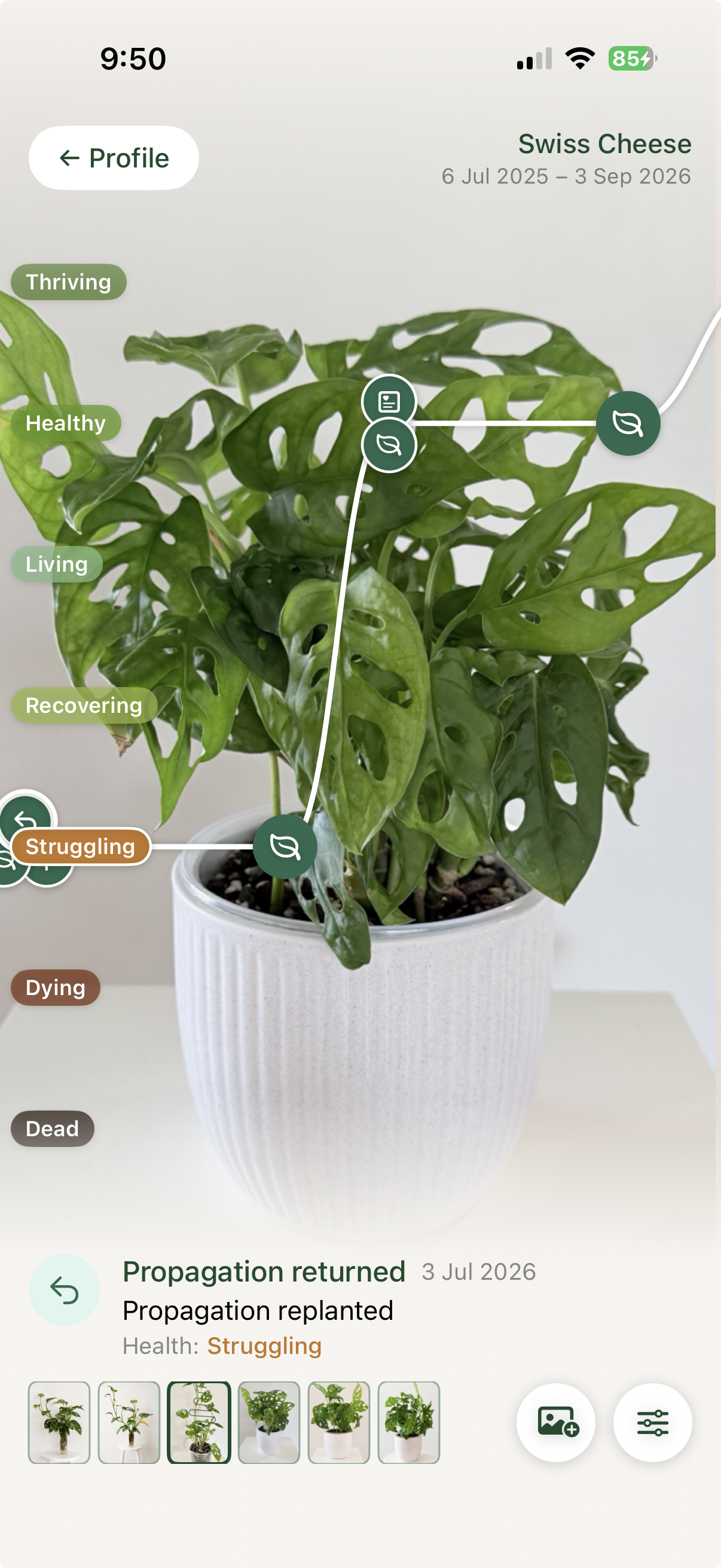
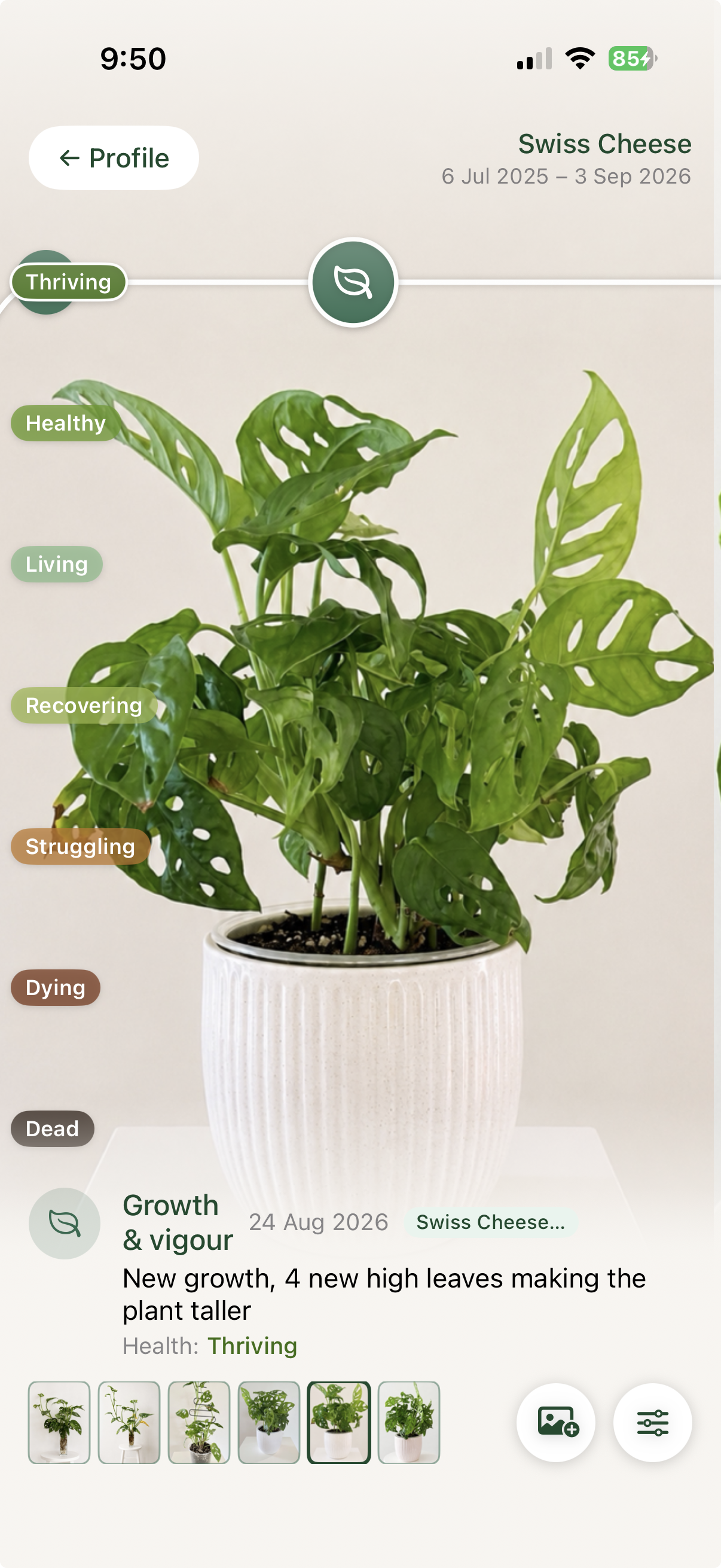
Photos, observations, care, propagation and health events become a living visual record. See what changed, what helped and when a plant flourished.
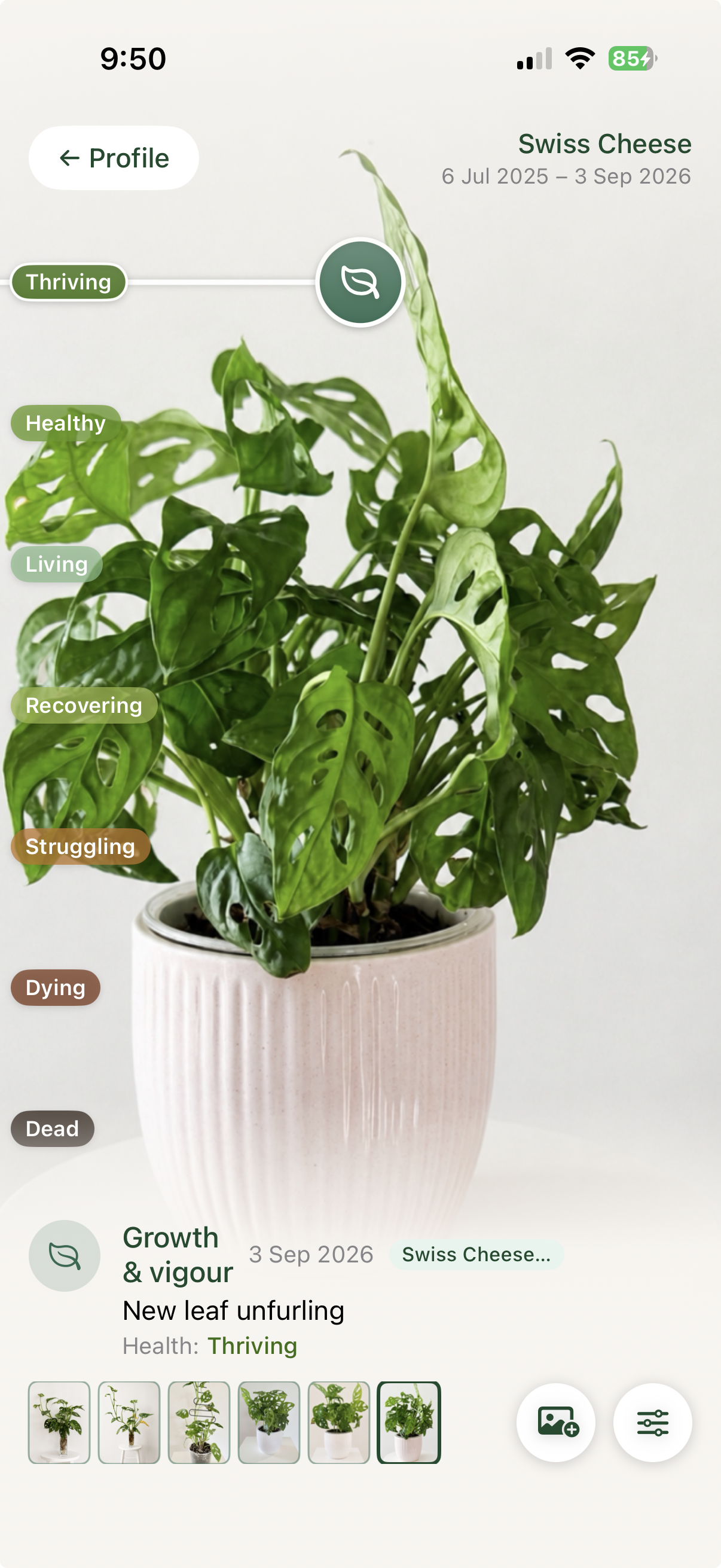
- Acquired
- Noticed
- Treated
- Reconnected
- New growth
06 · Watch & quarantine
Know what needs
watching next.
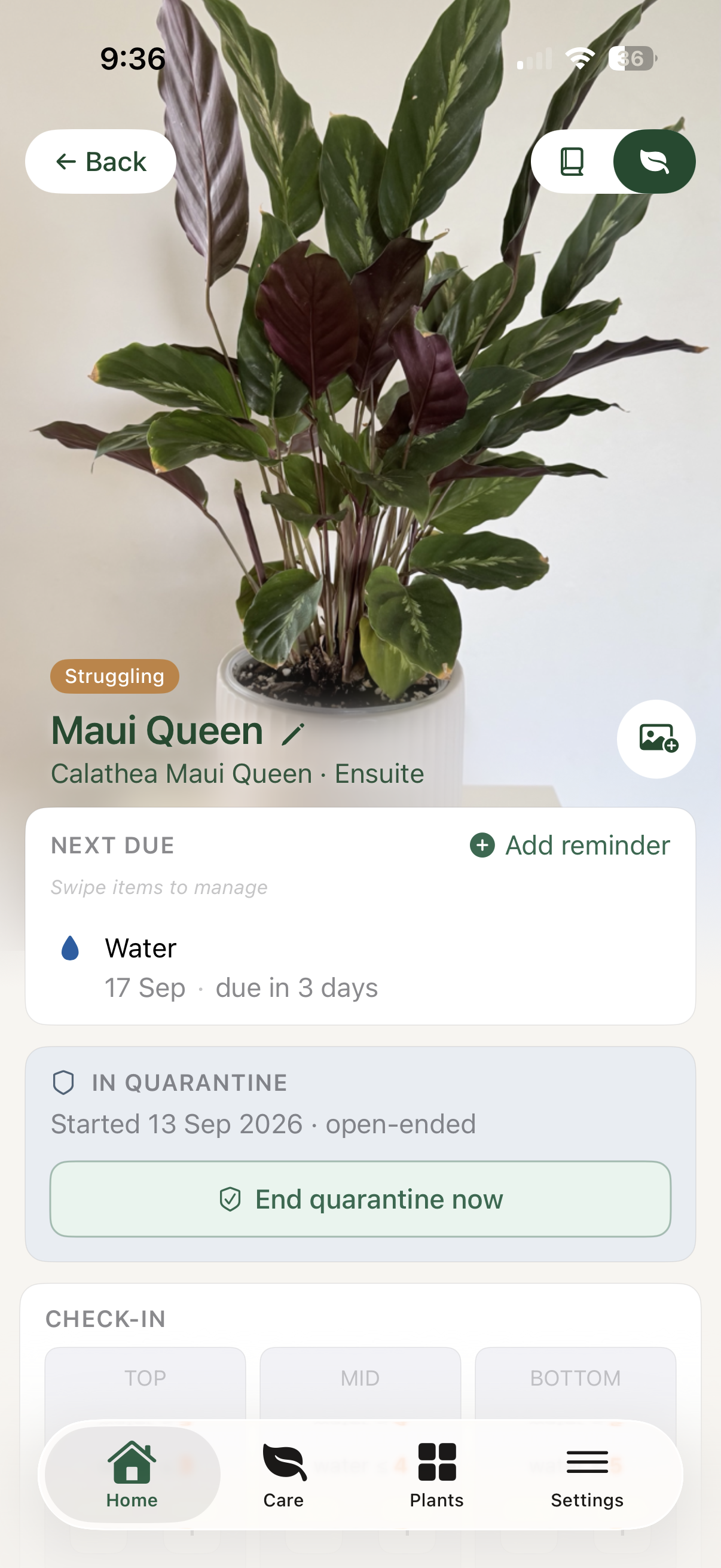
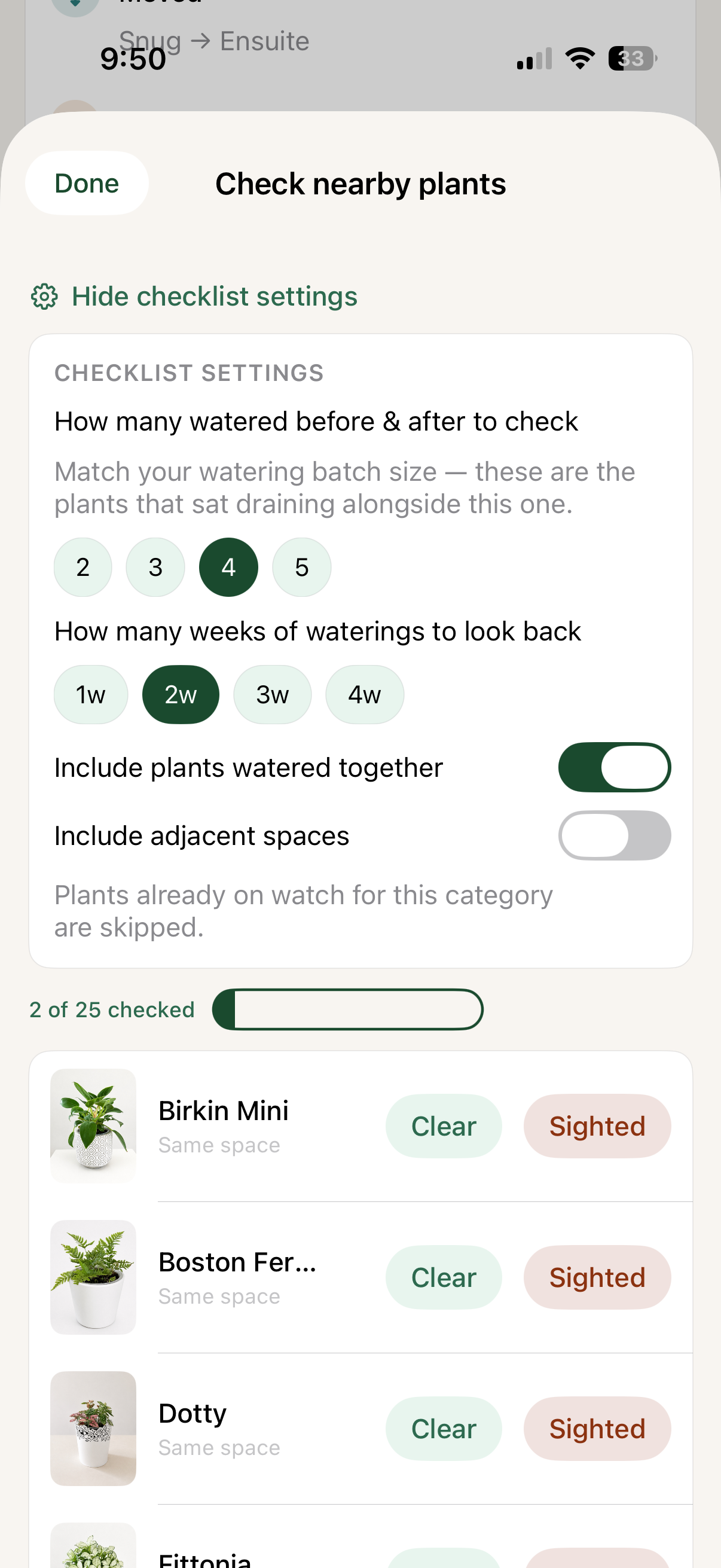
Keep an eye on pests, disease, recent stress or any plant you are concerned about—without losing the context around it. Quarantine stays visible, and a watch item can lead you to the plants most likely to need a check.
- Watch items and quarantine status
- Pests and disease logged with photos and notes
- Check nearby plants or plants watered together
07 · Calm Care Walk
Care for the day you have.
Not a blind calendar.
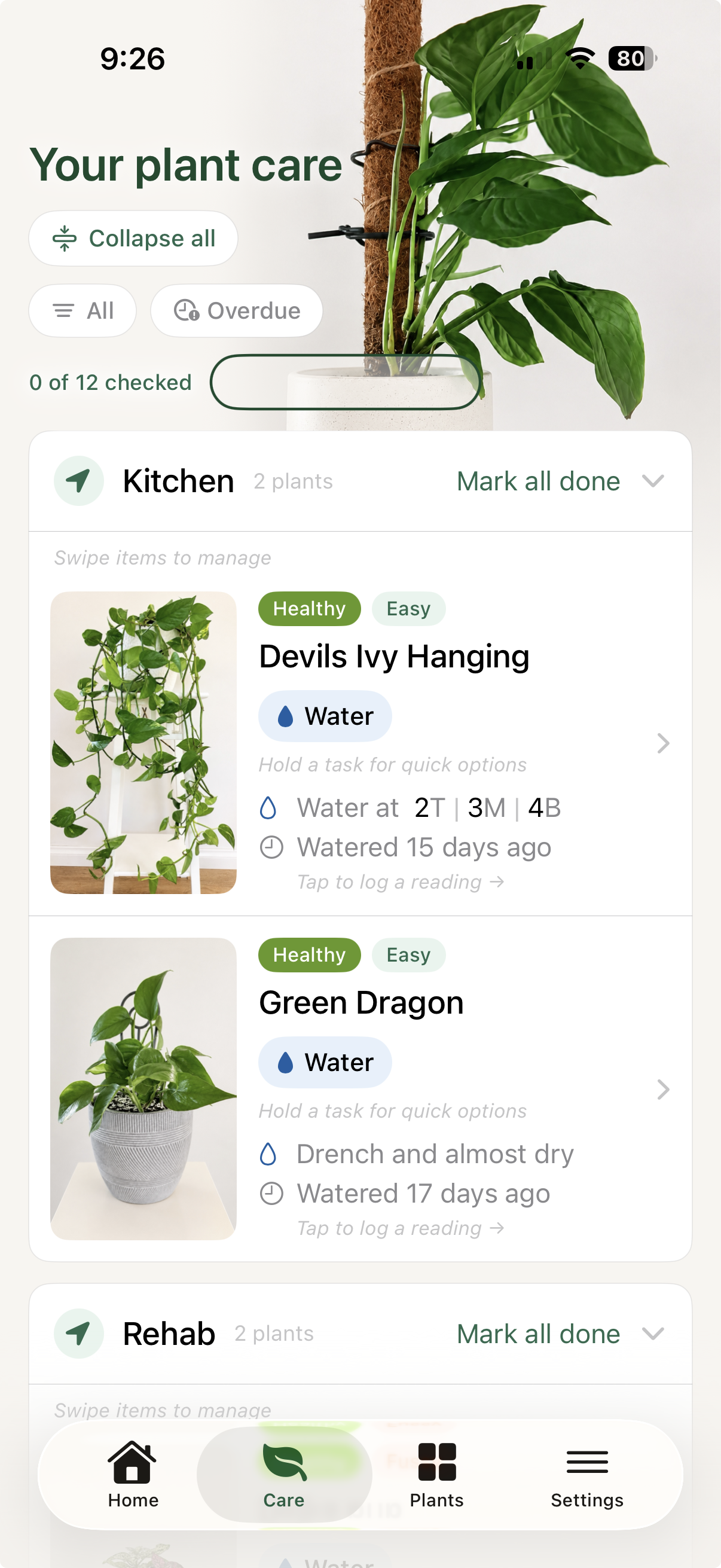
Take a calm Care Walk, work by space, sort by difficulty or overdue work, and tend to propagations together. Complete, reschedule or record the work in the same flow.
- Sort by difficulty, urgency or overdue work
- Work through spaces, task types or propagation rounds
- Custom care tasks, fertilisers, additives and products
- Photos, observations, reminders and rescheduling in one flow
08 · Custom care
Care in your own language.
Not someone else’s defaults.
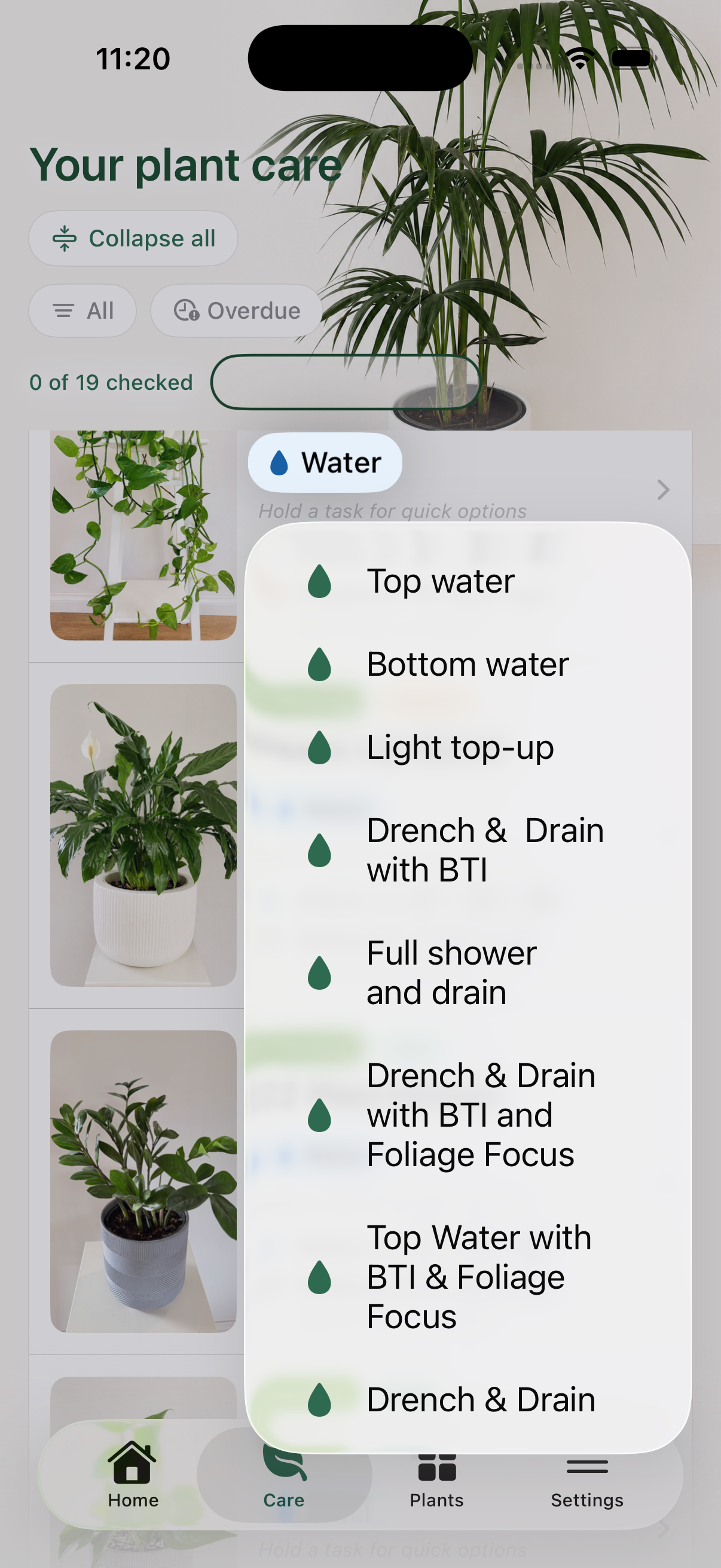
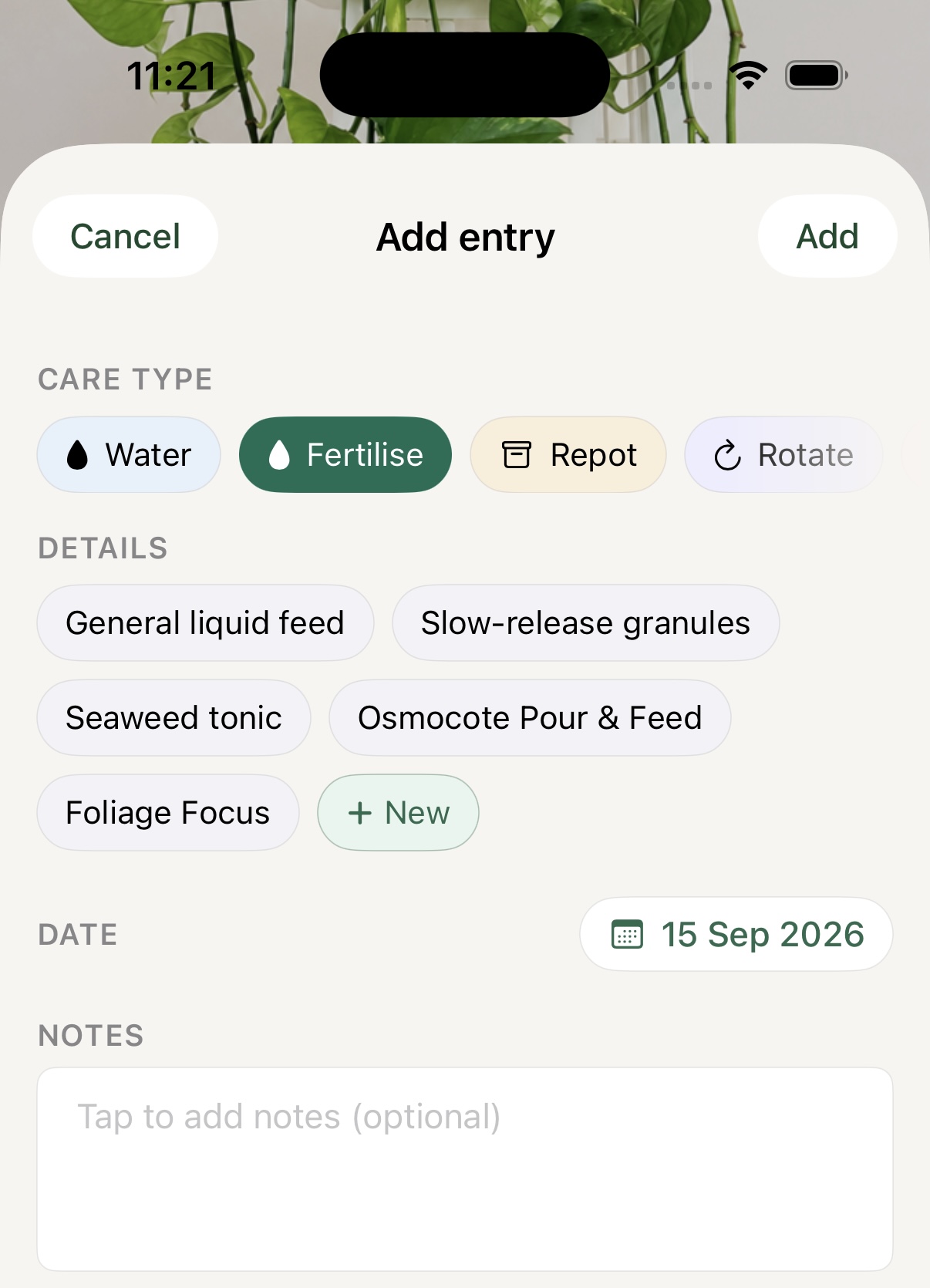
Give the care you use a name—fertilisers, additives, watering methods and products. Add them once, then long-press a task in your Care Walk to log the exact action without stopping to build a note from scratch.
- Custom fertilisers, additives, care methods and products
- Reusable details for the way you actually treat each plant
- Long-press a task for quick logging
09 · Moisture readings
Check first.
Don’t just water.
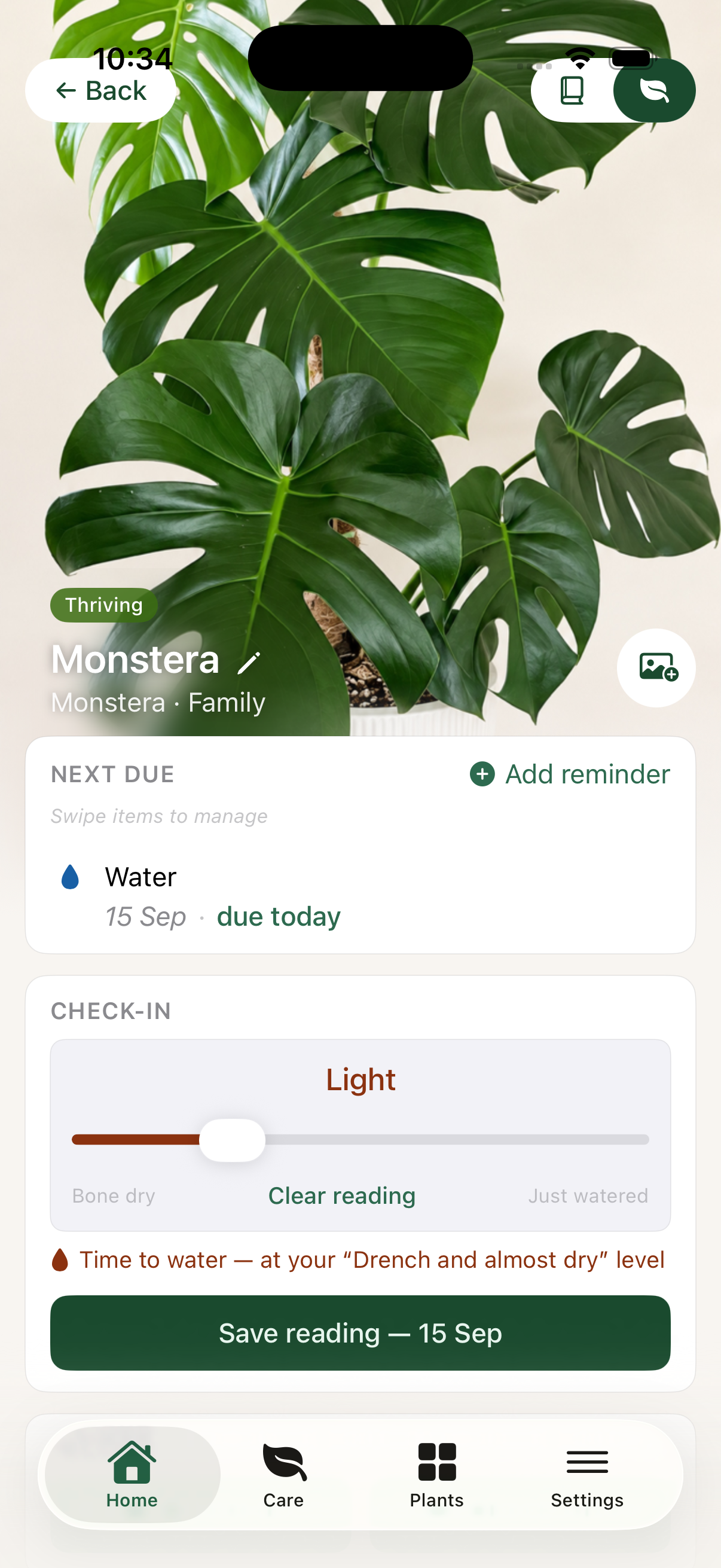
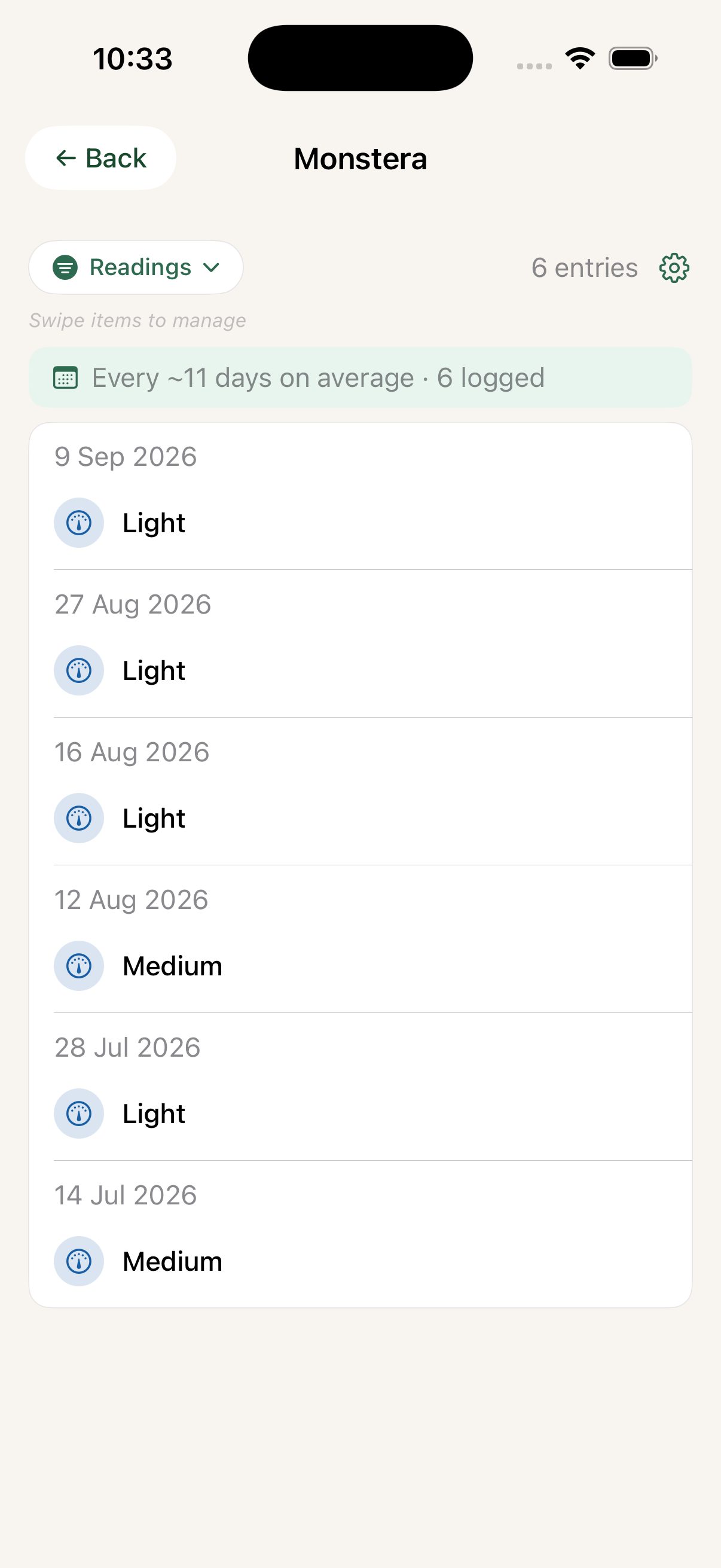
Watering by calendar is guesswork. Record how the pot feels in the way you already check it: lift it, judge its weight, feel the mix. Each reading stays with the care, health and changes that followed.
- Use feel and pot weight—not a date on the calendar
- Log the point when the plant is ready for its drench
- See the real reading history beside care, health and observations
10 · Propagation management
Propagation is a practice.
Not a checkbox.
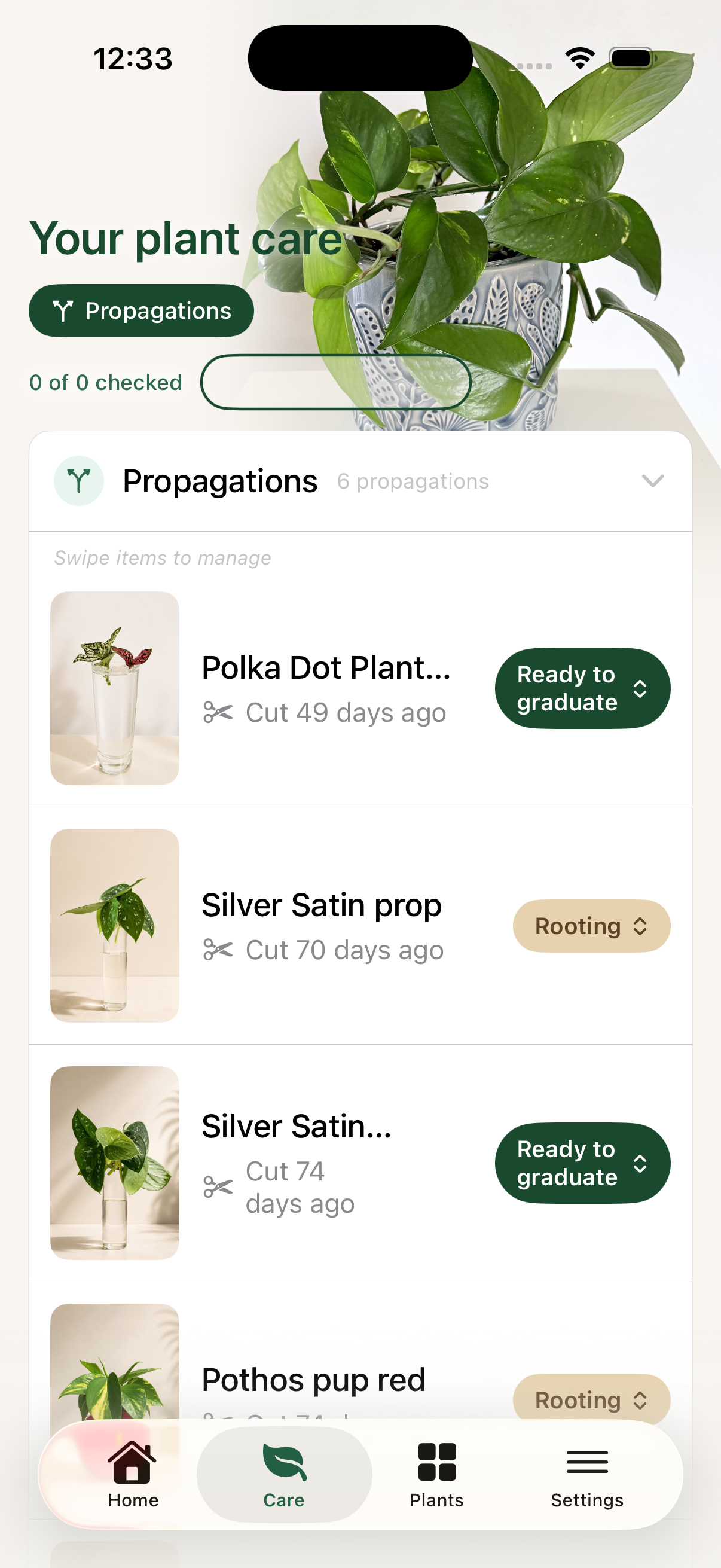
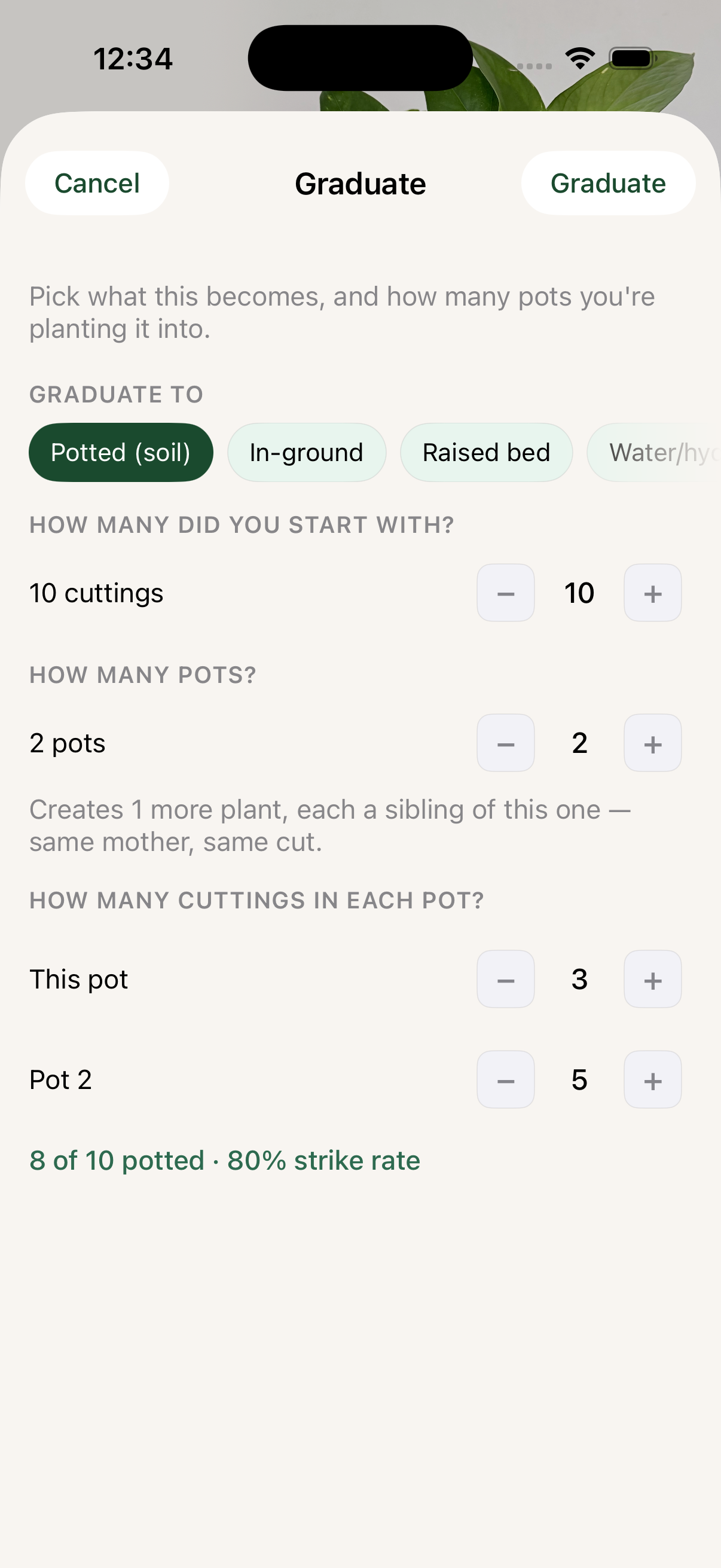
Keep the thread from the cutting to the plant it becomes: batch, stage, method, progress, graduation and what happens next. When it is ready, choose how it will be planted and let it enter the collection with its story intact.
- Work through rooting, ready-to-graduate and established plants
- Graduate cuttings into pots, in-ground plantings or other setups
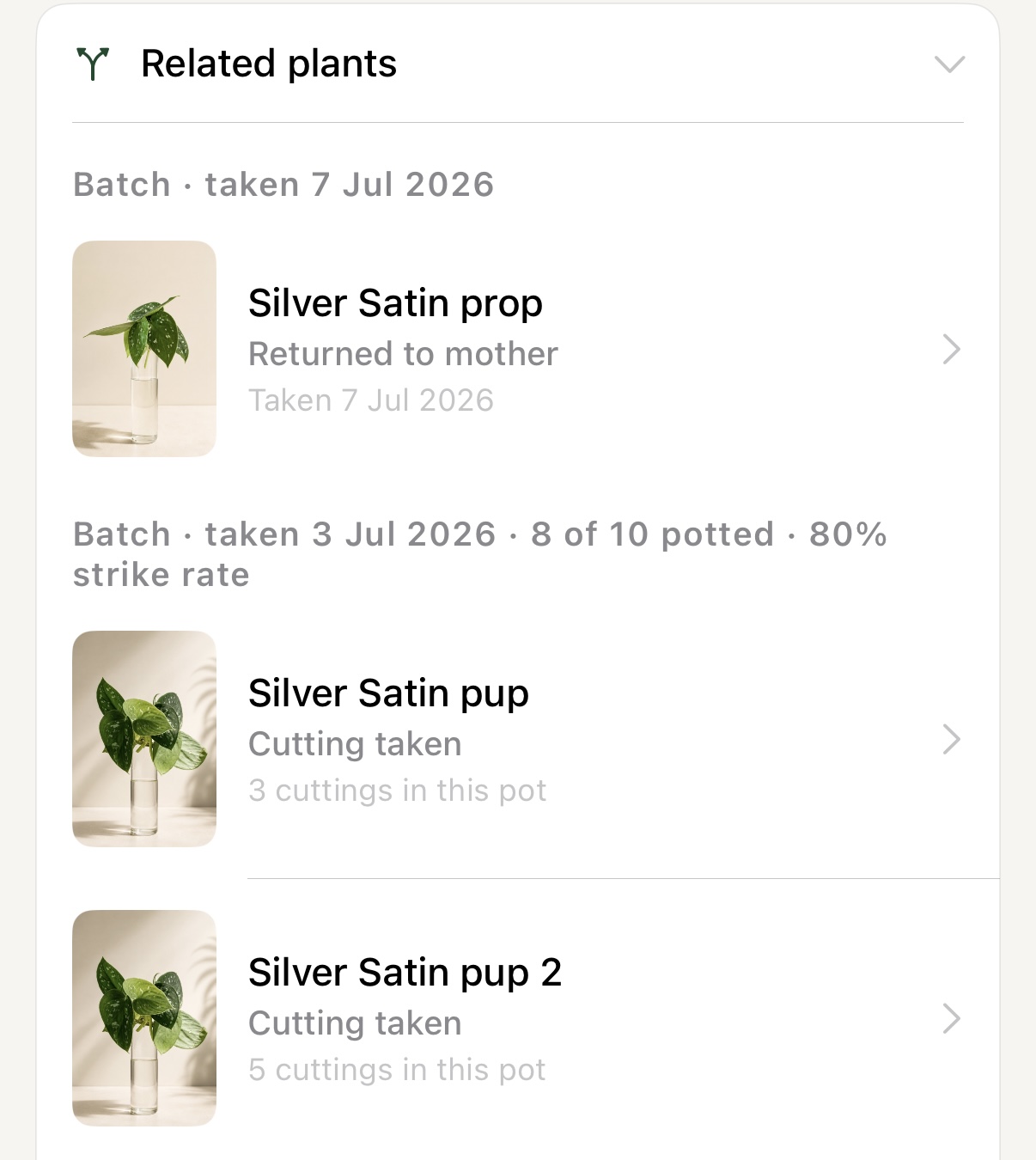
- Track batches, strike rates and every related plant
11 · Lineage
Every plant has a history.
Some grow a family.
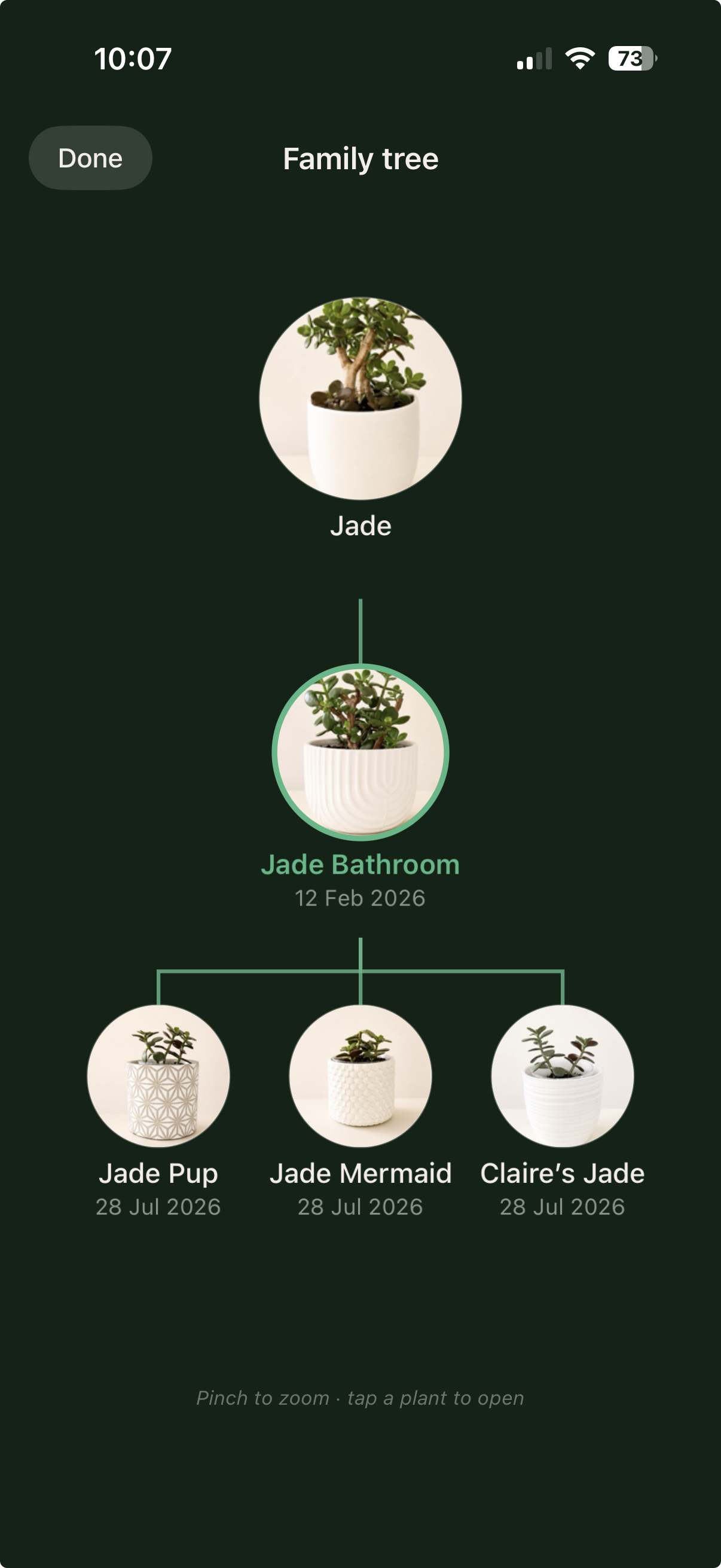
Follow a plant from its first home to every cutting, pup and plant it gives away. Liana keeps those connections intact through generations, even when plants change hands.
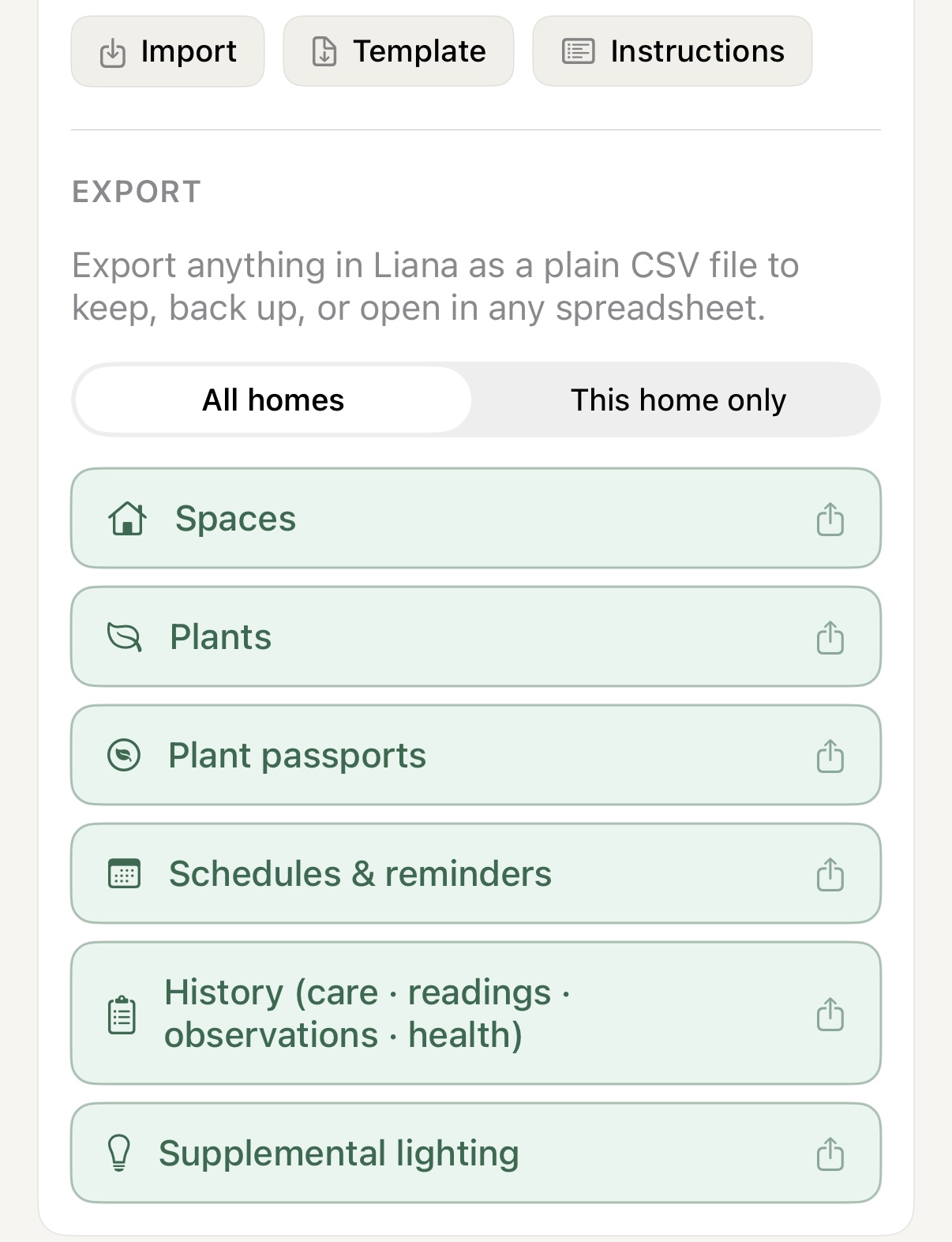
12 · Your data, your collection
Bring it in.
Take it with you.
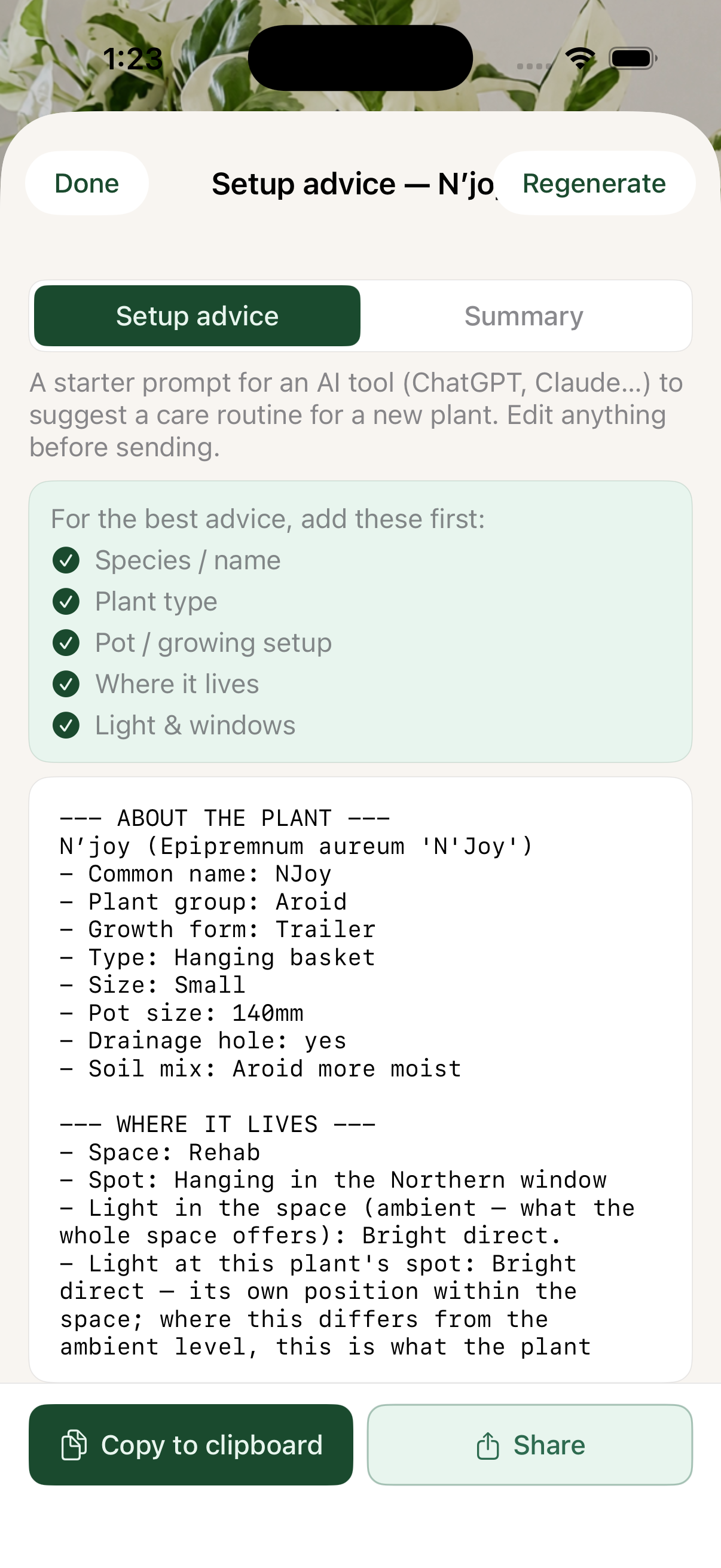
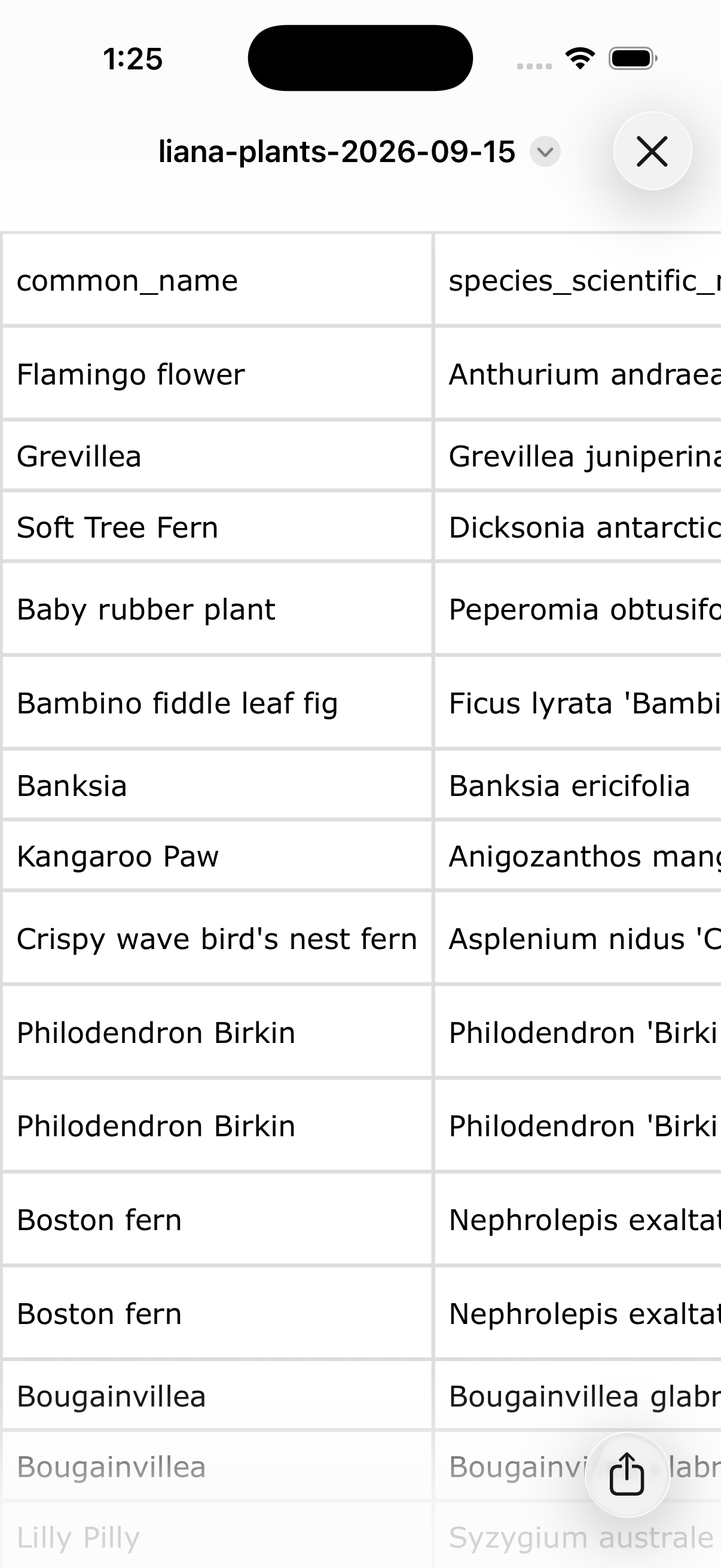
Start with the records you already keep. Import a CSV, export every part of the collection whenever you need it, or create a detailed plant brief to take to your favourite community, friend or AI.
- CSV import with a template and clear instructions
- Full exports by category, home or entire collection—on every plan
- Detailed per-plant briefs ready to copy or share
13 · Your collection, curated
Keep a record.
Make it yours.
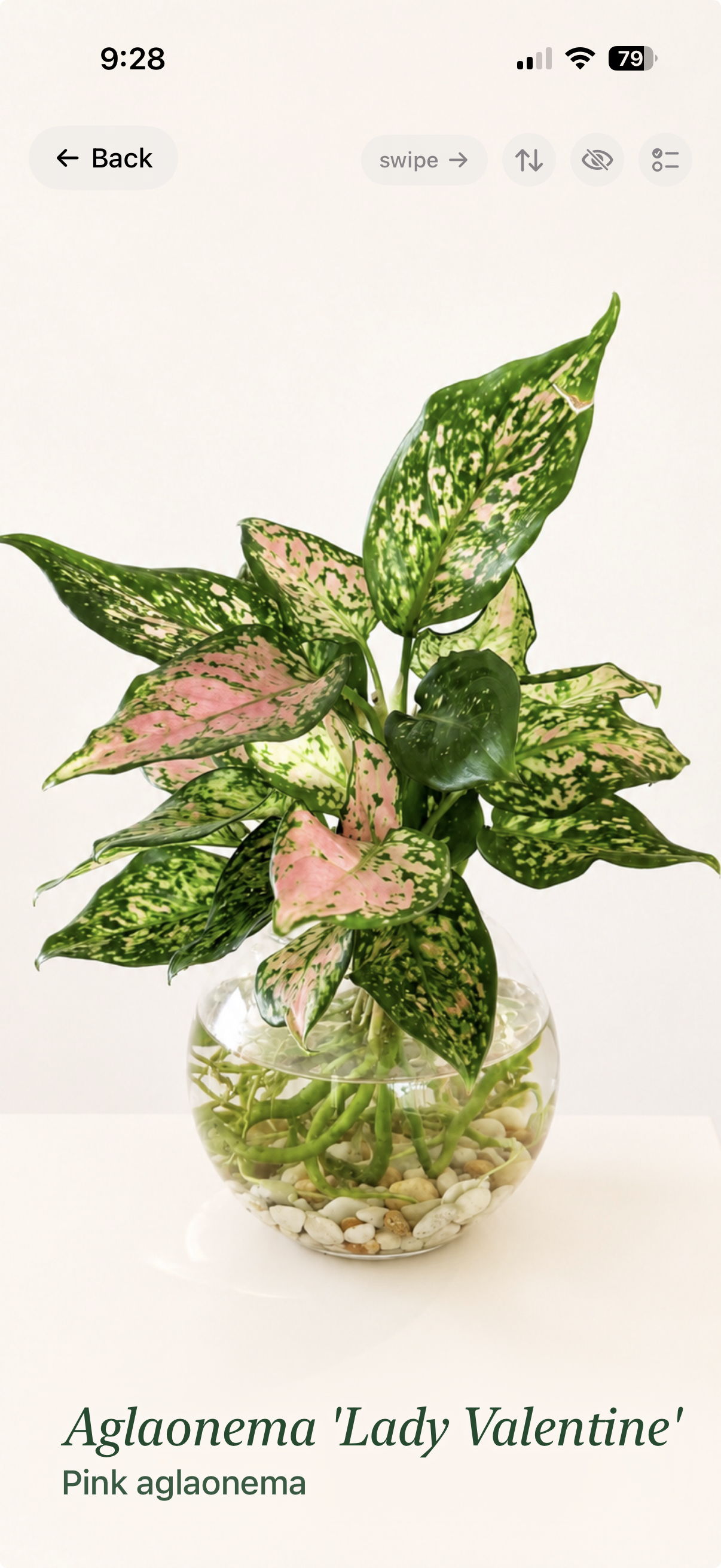
Choose the plants and images that deserve to be seen. Build a collection view that reflects the care, time and delight behind it—not just a database of names.
- A curated plant showcase
- Wishlist plants ready when they join the collection
- Gifted, sold and deceased plants remain part of the history
14 · Dark Mode
Every detail,
in a different light.
Switch to Dark Mode when that is how you prefer to look after your collection. Plant photographs, passports, care and history stay considered and easy to read—not simply inverted.
- A calm, low-light view of the full app
- Plant photographs and records stay rich and legible
- One private collection across iPhone and iPad
And there is more beneath the surface
Everything Liana
understands.
The specialist details are there when you need them. They are not an upgrade to unlock or a spreadsheet to maintain beside the app.
Collection & environments
- Plant Passports, botanical names and classifications
- Indoor, outdoor and covered spaces
- Multiple properties and individual space settings
- Multi-pots and individual plant identities
- Terrariums, kokedama, mounted plants, orchids and hydro setups
- Wishlist, archived and past plants kept outside plant counts
Care & observation
- Care Walks by space, urgency, difficulty or propagation
- Moisture readings by feel, pot weight or meter
- Custom care templates, fertilisers, additives and products
- Observations, photos, health history and reminders
- Watch items, quarantine and nearby-plant inspection context
- Pet-safety details and supplemental lighting records
Propagation & lineage
- Rooting stages, batches, methods and media
- Propagation lists, graduation and outcome tracking
- Division, merge, combine and return-to-mother workflows
- Sales tracking for plants and propagations
- Family trees across cuttings, pups and generations
- Individual Journeys for every plant, including multi-pot occupants
Ownership & access
- CSV import and full collection export on every plan
- Detailed per-plant exports for community or expert advice
- iCloud sync and private collection backup
- Property sharing with complete or care-only access
- Plant-sitter notes, photos and care updates
- iPhone and iPad support, in light or dark mode

Liana is growing
Beautiful today.
Richer over time. Yours.
Join the waitlist to hear when Liana is ready for your collection.
Receive occasional Liana updates. Unsubscribe anytime. Privacy